To help your iPhone 14 Pro Max’s battery last longer you need to understand how battery technology works with your device’s settings and usage patterns. Small changes in how you use your iPhone, such as adjusting screen brightness and managing background app refreshes, can have a big impact on preserving battery health. By making adjustments to settings provided by iOS, you may directly impact battery wear and tear. Taking care of the battery not only helps it last a long time but also maintains the performance of the smartphone.
Maximizing Your iPhone 14 Pro Max Battery Life
The iPhone 14 Pro Max boasts impressive battery life, but like all batteries, it degrades over time. Here’s how to keep your battery healthy and get the most out of every charge:
Smart Charging Habits
Optimize Your Settings
Leverage Power-Saving Features
Additional Tips
Replacing Your Battery
Even with the best care, your iPhone battery will eventually need replacing. Apple offers battery replacements for a fee. You can check your battery health inSettings > Battery > Battery Health & Chargingand consider a replacement if it’s significantly degraded.
By following these tips, you’re able to significantly prolong the life and performance of your iPhone 14 Pro Max battery. Remember that battery health is crucial for optimal device performance, so taking proactive steps to preserve it will ensure your iPhone remains a reliable companion for years to come.
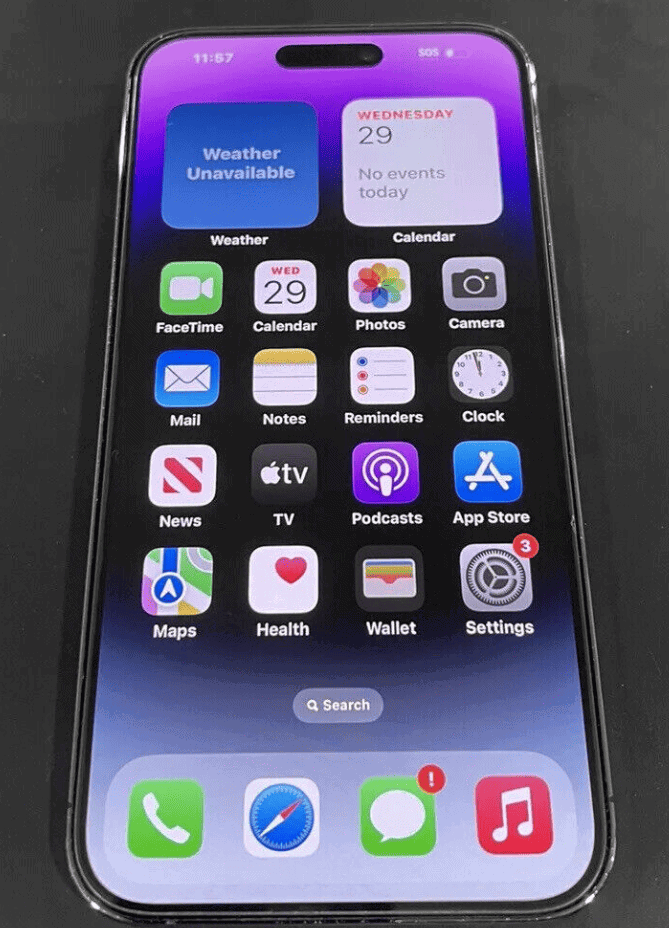
Get the Most Out of Your iPhone 14 Pro Max Battery
The iPhone 14 Pro Max boasts impressive battery life, but even the best batteries need care to stay in top shape. Here are proven tips to optimize your device’s battery and keep it going strong:
Smart Settings Adjustments
Charging Habits That Matter
Monitoring Your Battery
Table: Quick Tips for Battery Health
By following these tips, you’ll maximize the longevity and performance of your iPhone 14 Pro Max battery.
Key Takeaways
Optimizing Battery Usage Settings
It is important for iPhone 14 Pro Max users to tweak certain settings to ensure their device’s battery lasts longer. Adjusting a few options can make a significant difference in daily battery life.
Adjusting Display Settings
Auto-Brightness: This feature adjusts the screen brightness based on surrounding light levels. Users can turn auto-brightness on by going toSettings, selectingAccessibility, thenDisplay & Text Size, and toggling onAuto-Brightness.
Screen Brightness: Manually reducing screen brightness can save battery. Drag the brightness slider left in the Control Center to lower it.
Always-On Display: The always-on feature can be turned off by going toSettings, thenDisplay & Brightness, and disabling theAlways Ontoggle.
Lock Screen Timeout: Decreasing the time before the screen goes to sleep reduces battery drain. Set a shorterAuto-Locktime inSettingsunderDisplay & Brightness.
Managing Connectivity Features
Wi-Fi: Connect to Wi-Fi instead of using cellular data to save battery. Turn Wi-Fi on or off inSettingsor Control Center.
Bluetooth: When not in use, switch off Bluetooth to conserve energy. Users can find the Bluetooth toggle inSettingsor Control Center.
Cellular Data: Disabling cellular data when not needed helps battery life. Users can do this inSettingsunderCellular.
Location Services: Turning off location services for apps that don’t need it saves power. Change these inSettings, thenPrivacy, and selectLocation Services.
Enabling Low Power Mode
Low Power Mode: This mode reduces background activity to save battery. Activate it by going toSettings, thenBattery, and toggleLow Power Modeon.
Controlling App Activity
Background App Refresh: Limiting this can improve battery performance. Users can change settings by going toSettings, thenGeneral, and tappingBackground App Refreshto make adjustments.
Maintaining Healthy Charging Practices
Caring for an iPhone 14 Pro Max’s battery involves good charging habits. This ensures the battery lasts longer and performs well.
Understanding Charging Cycles
A charging cycle happens when a phone uses 100% of its battery. This doesn’t mean a single charge from 0% to 100%. It can happen over multiple charges. For example, charging from 50% to 100% on two different days counts as one cycle. It’s key to know this as batteries lose the ability to hold charge after many cycles.
Using Optimized Charging
Optimized Battery Chargingis built to increase battery lifespan. It learns daily charging patterns and waits to finish charging past 80% until needed. Users can turn it on inSettings > Battery > Battery Health & Charging. This feature helps reduce battery wear.
Avoiding Exposure to Extreme Temperatures
Heat can harm iPhone batteries. iPhones work best at room temperature.Avoid leaving the phonein a hot car or in direct sunlight for long. Cold is also bad for batteries. When using the iPhone in cold temperatures, it’s good to keep it insulated. Extreme temperatures make batteries less effective and can decrease their lifespan.
Frequently Asked Questions
This section answers common questions about keeping your iPhone 14 Pro Max battery in top shape.
How can I maintain optimal battery health over time for my iPhone 14 Pro Max?
You should update your phone regularly and keep the battery settings optimized. Use the recommended settings found under “Battery Health & Charging” to get the most out of your battery.
What are the recommended charging practices to extend the battery longevity of my iPhone 14 Pro Max?
Charging with a high-quality charger and avoiding letting the battery completely drain can help prolong its life. It’s also beneficial to use the Optimized Battery Charging feature.
Are there specific usage habits that help in preserving the battery life of my iPhone 14 Pro Max?
Yes, reducing screen brightness and turning off background app refresh can save battery power. Also, close apps that you’re not using to conserve energy.
What steps should I take to minimize battery degradation on my iPhone 14 Pro Max?
Avoid exposing your phone to extreme temperatures. Keeping the battery charge between 20% and 80% can also minimize degradation.
How can I prevent my iPhone 14 Pro Max battery from draining quickly?
Turn off unnecessary location services and push notifications. Check for energy-hungry apps in your battery settings and manage their activity.
What’s the best percentage to charge my iPhone 14 Pro Max to promote better battery health?
Charging your iPhone 14 Pro Max up to 80% is often recommended for better battery health. Avoid keeping it at a full charge for extended periods.
