The ‘Shared with You’ feature on iPhone, part of Apple’s iOS 15, iPadOS 15, and macOS Monterey, helps you keep track of links, images, articles, and other media that friends and family send via Messages. You can find this content easily in a dedicated ‘Shared with You’ section in various apps like Photos, Safari, and Apple TV. It saves time and keeps your Apple devices organized. This feature allows you to find content shared with you from other apps in the Messages app.
Apple’s “Shared with You” feature aims to streamline getting data from other users by offering a centralized hub for all the photos, videos, articles, and more that people share with you. This includes content from the Music, Apple TV, News, Photos, Podcasts, and Safari apps. Managing and accessing shared content becomes straightforward with this technology. you’re able to browse, save, or pin items for later and even reply directly to the person who shared the content right from the relevant app. The feature aims to centralize communications and media exchanges, creating a seamless experience across iOS, iPadOS, and macOS platforms.
Simplifying Shared Content on Your iPhone
The “Shared with You” feature on iPhone is like a digital scrapbook for all the cool stuff your friends and family send you. No more endless scrolling through messages to find that funny video or interesting article – it’s all neatly organized in one place.
Where to Find Shared Content
You’ll find Shared with You content in various apps across your iPhone:
Key Benefits of Shared with You
This feature brings several advantages:
Tips for Using Shared with You
Compatibility
Shared with You requires iOS 15 or later and works seamlessly across all your Apple devices.
Key Takeaways
Understanding ‘Shared with You’ Feature in iOS
The ‘Shared with You’ feature in iOS aims to streamline how users interact with content shared in Messages. It does so by organizing and displaying this content directly within Apple’s ecosystem of apps.
Integration With Apple Apps
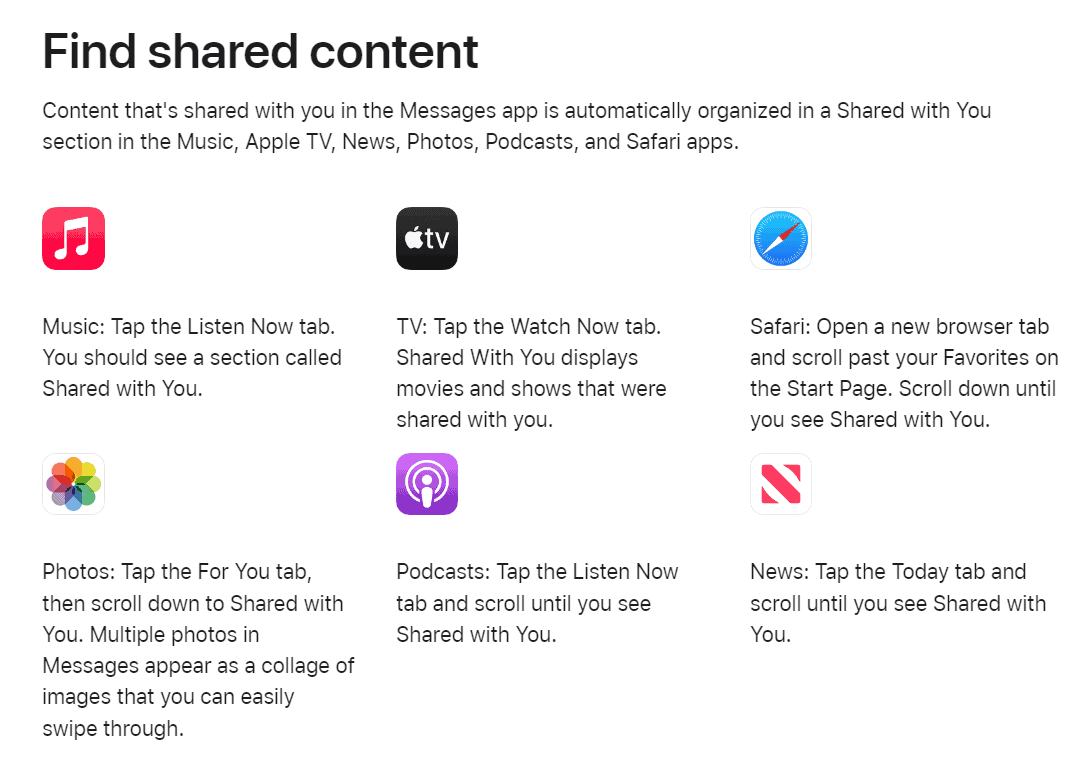
‘Shared with You’ incorporates content shared in message threads right into relevant Apple apps. For instance, if someone sends you a playlist link in Messages, it appears in the ‘Shared with You’ section under Apple Music. Similarly, shared links from Safari, or news articles from Apple News, show up within these apps. You seephotos in the Photos appand TV show recommendations in the Apple TV app. These integrations make it easy to find and enjoy content without having to search through messages.
Managing Shared Content
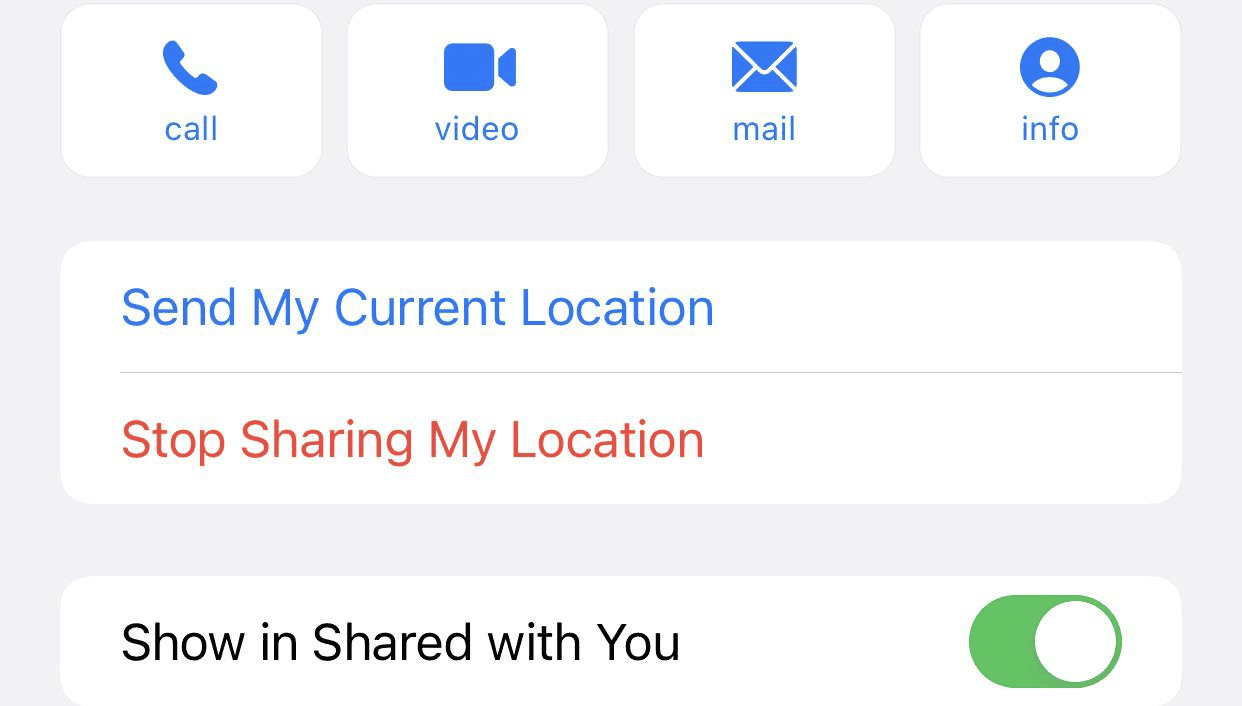
Control over the shared content is straightforward. In the Settings app, users can manage their preferences, including where shared content will appear. By going to Settings > Messages and tapping ‘Shared with You’, users can toggle ‘Show in Shared with You’ for any compatible app like Music, TV, Safari, and Photos. If you choose to disable this feature for specific apps, the corresponding content no longer appears in them. To remove specific items from the ‘Shared with You’ sections within apps, users can simply swipe on the item and delete it. This level of control ensures your feeds stay relevant and uncluttered.
Interacting with Shared Media
Shared Media in iOS allows users to easily engage with content shared by others via iMessage. They can view, save, and manage shared items directly in their favorite apps.
Photos and Videos
In the Photos app, users tap theFor Youtab to find theShared with Yousection. Here, they see photos and videos their contacts have sent them. Users can save these to their library or create a collage. They might also tap a photo to see it in full screen or use thesearch barto find specific images quickly.
Music and Podcasts
In Apple Music, shared songs and albums appear under theListen Nowtab. Users can add these tracks to their own playlists. For podcasts, theListen Nowtab shows episodes shared by friends, letting users play them right away or add them to a space where they organize their favorites.
News and TV Content
Shared news articles and TV content appear in the respective Apple News and TV apps. For news, users visit theTodaytab to see stories sent by contacts. In the TV app, theWatch Nowtab features shared movies and TV shows, which can be watched directly or added to aplaylistfor later viewing.