If your iPhone messages have gone missing or they have been routinely disappearing you’re probably concerned; and with good reason. Losing texts can feel like a setback and lead to a lot of problems depening on how important the messages were. There could be several reasons for this issue, from simple settings adjustments to more complex software problems. By learning about the potential causes and using the troubleshooting steps provided, you might be able to get back your missing messages or at least prevent them from disappearing in the future.
Disappearing iPhone Messages
Disappearing messages could be caused by software issues, human error, or incorrect settings. To fix the problem, you should first identify the cause. Once you know what caused the issue, there are several ways to restore messages. For example, you’re able to check recently deleted messages, ensure your settings are correct, and restore from backups if needed. To prevent this from happening in the future, it’s important to regularly back up your iPhone and manage storage carefully.
Understanding Why Messages Disappear
Here’s a breakdown of some common reasons behind your messages vanishing:
Possible Culprits
Troubleshooting Steps
Solutions and Recovery Options
Recovery Options
If the above steps don’t work, here are ways to potentially recover lost messages
Important:Using reliable third-party software is crucial. Research their reputation and reviews before choosing a provider.
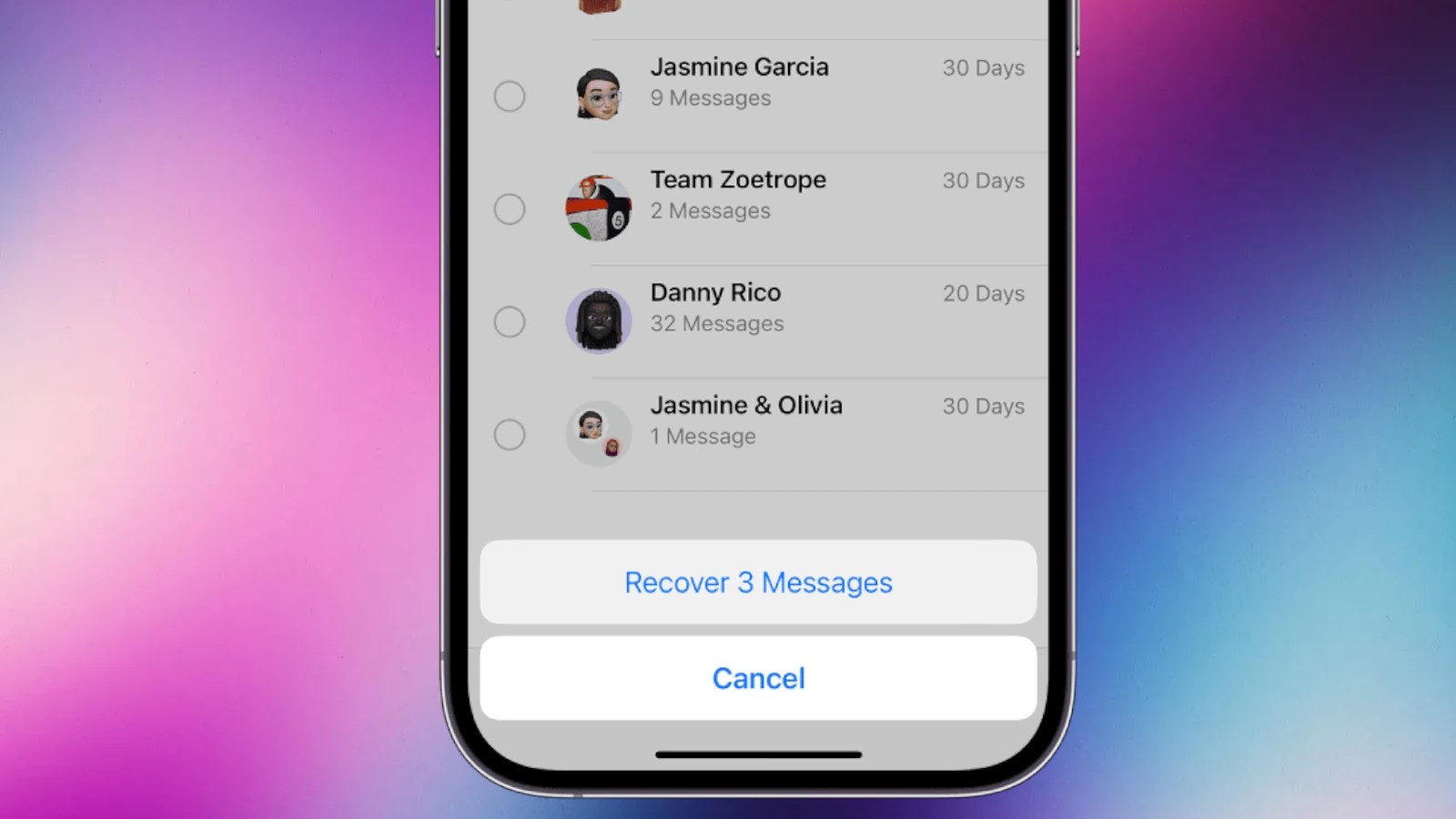
Table: Troubleshooting Guide
Key Takeaways
Understanding the Issue
When iPhone text messages vanish, it can be unsettling. This section aims to shed light on why messages might disappear and how to assess the situation.
Common Causes for Disappearance
Several reasons can lead to missing messages on an iPhone. AniOS updatemight have gone wrong or settings may have been changed unintentionally. Often, a look into themessage settingscan offer clues—perhaps theMessage Historywas set to a time limit rather than toForever. Problems withiPhone storagecan also lead to deleted ordisappearedmessages. Software updates sometimes introduce issues that affecttext message threads. Additionally, disruptions in theiMessageservice or errors during aniCloud backupcould cause messages to go missing.
Determining the Extent of the Loss
Figuring out what’s missing is step one. Is it a singleconversationor multiple ones? Next, check therecently deletedfolder within the Messages app—if you canrecovertexts, that’s a quick fix. If not, it may be necessary to restore from aniCloud backup, given a recentbackupexists. Inspect the settings under the Messages app to confirm messages are set to saveforever. If texts are still missing, the issue might be more complex, involvingmissing messages on iPhonethat aren’t easily recovered.
Restoration and Prevention Strategies
When text messages disappear on an iPhone, it may cause concern, but there are steps to recover them and strategies to prevent future loss. This section covers the process of getting messages back and tips to keep them safe.
Step-by-Step Recovery Process
If you find that messages have gone missing, first check to see if they can be restored from a recent deletion. For iPhones running iOS 16 or later, follow these steps:
For messages that aren’t in the recently deleted folder, an iCloud backup may help:
Protecting Your Message History
To keep messages safe, adjust your iPhone’s settings:
Technical Solutions to Prevent Future Losses
Sometimes preventing message loss is about knowing the technical fixes:
Frequently Asked Questions
When facing issues with disappearing text messages on an iPhone, it can be quite a hassle to find the right solution. This section provides direct answers to commonly asked questions, helping users troubleshoot effectively.
How do I retrieve disappeared text messages from my iPhone?
Users can recover lost messages by using iCloud backups or the iPhone’s Recently Deleted feature under the Messages app. Check for the availability of backups and follow the on-screen prompts to restore.
What steps should I follow if text messages from one contact have vanished on my iPhone?
First, restart your iPhone and check for software updates. Then, verify that the contact is not blocked and ensure the messages are not archived or hidden.
Why are my text messages not showing up on my iPhone?
This could be due to incorrect message settings, a full storage issue, or a software problem. Check your Message settings and make sure there is enough free storage on your device.
Is there a way to recover text messages that have suddenly gone missing on my iPhone?
Yes, if backups are available, either through iCloud or iTunes, you can restore your iPhone to a previous state. This will often recover messages that have disappeared.
Why has my iPhone stopped receiving text messages from certain contacts?
Check if the affected contacts are blocked in your settings. It’s also wise to ensure that Do Not Disturb mode is not accidentally enabled for specific contacts.
How can I troubleshoot missing text message notifications on my iPhone?
First, ensure that message notifications are turned on in your settings. If they are, consider resetting your notification settings or restarting your device to resolve the issue.
